the feed
Track competitor YouTube channels in one stream.
Analytics4You watches the public pages of every YouTube channel you add and records what changes: new uploads, retitled videos, swapped thumbnails, A/B tests YouTube is running, breakout videos and subscriber milestones. They arrive in one chronological feed, so you read what happened instead of interpreting a dashboard.
YouTube Niche Monitoring Features▶ Watch the 1:23 walkthrough
A record, not a refresh loop.
The reason competitor tracking is usually done by hand is that YouTube shows you a channel as it is right now. It does not show you that the title changed at 2 a.m., that the thumbnail you remember was replaced, or that the video you are looking at is one of two versions being shown to different viewers. Those things are only visible if somebody was watching when they happened.
That is the whole job here. Add the channels you compete with and the monitor visits their public pages continuously, comparing what it sees now with what it saw before. Anything that differs becomes an event with a timestamp, and the events become your feed.
Because every entry is something that was observed rather than something that was inferred, the feed reads as a log. An upload is an upload. A title change carries the string it used to be. An A/B test carries both variants. Nothing in the stream is a projection or a recommendation.
What lands in it.
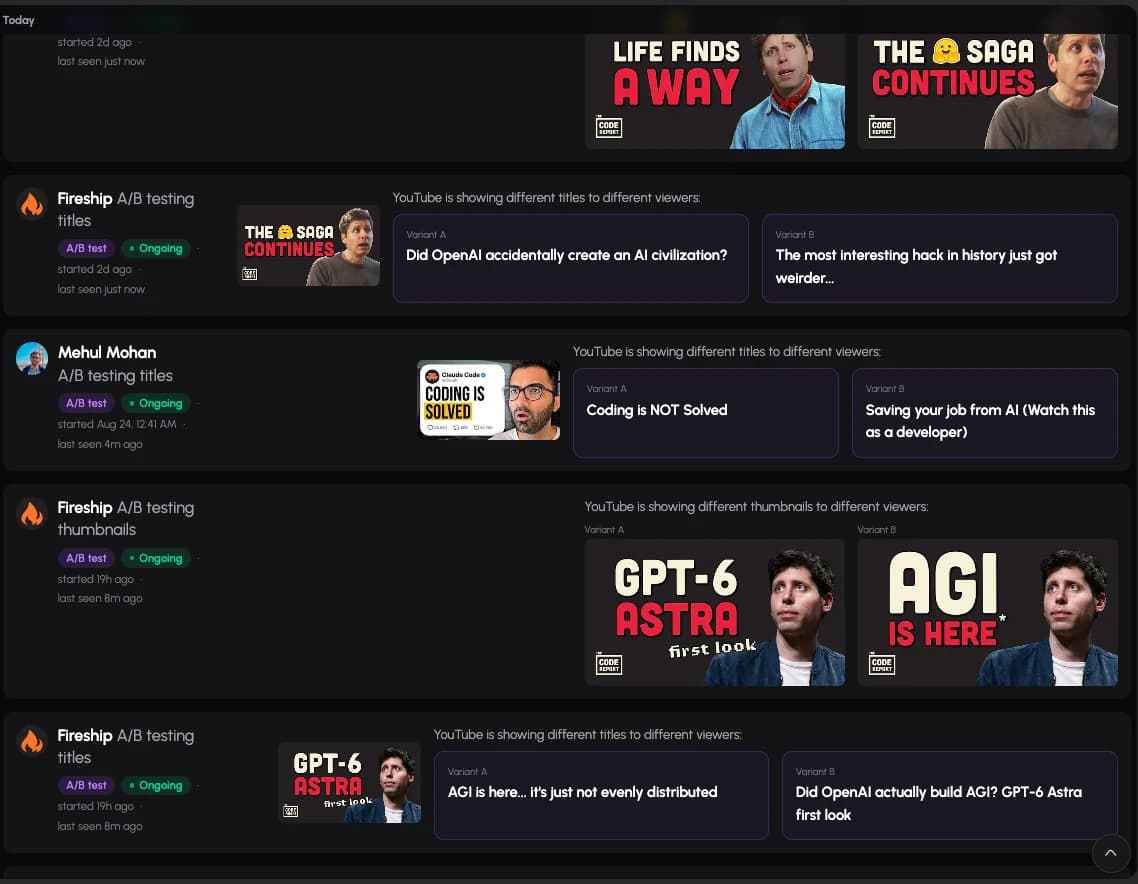
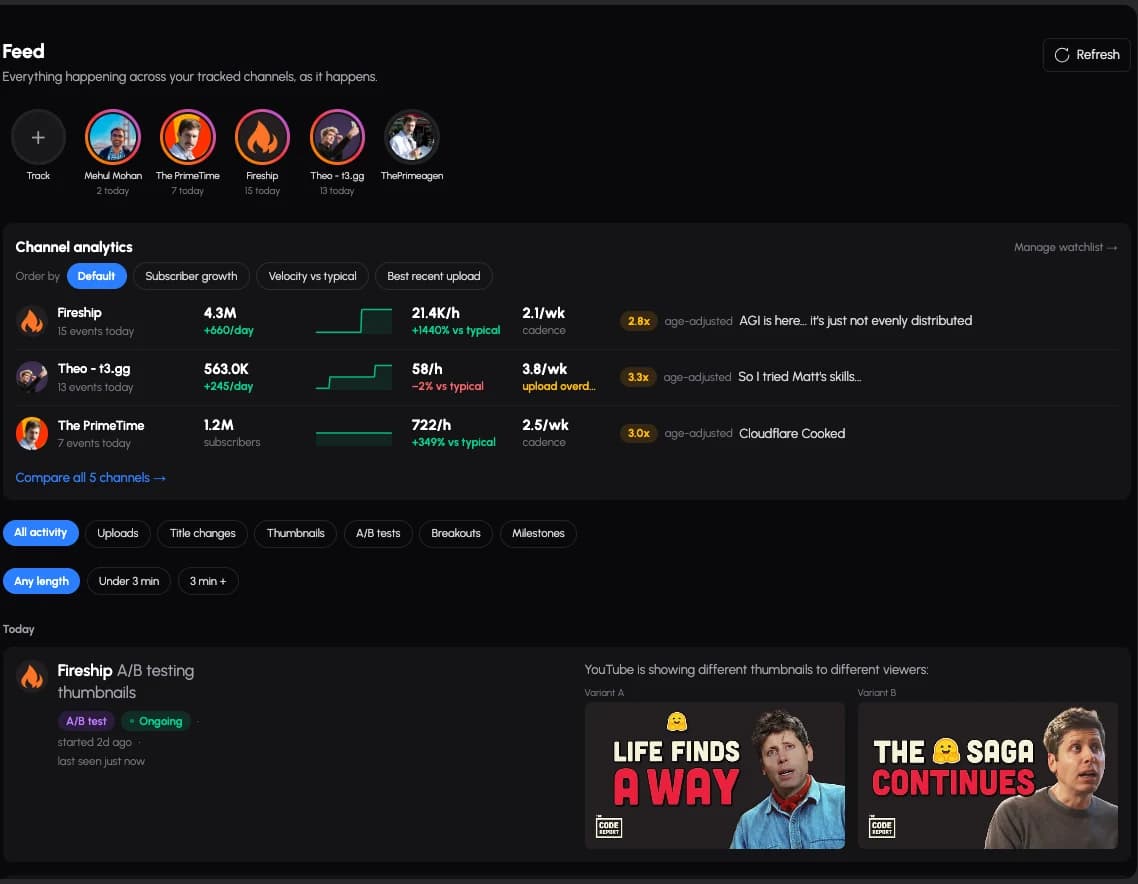
Uploads, as soon as a sweep sees them. Title changes, with the previous title struck through beside the new one. Thumbnail changes, with the old image kept and shown next to the replacement. A/B tests, when YouTube is serving more than one title or thumbnail for the same video, with every variant recorded. Breakouts, when a video pulls far ahead of what its own channel normally does at that age. And milestones, when a channel crosses a round subscriber number.
The stream filters by any of those types, and by video length, so a niche where Shorts and long-form behave differently can be read one at a time.
Above the stream sits a compact panel for the channels themselves: subscribers and growth per day, current views per hour against what is typical for that channel, upload cadence, and the best-scoring recent upload. It is deliberately small and does not grow with your watchlist — the feed is a stream, not a dashboard, and the space above it is not allowed to scale with the number of channels you track.
No extension, no account access.
You paste a channel URL or handle. There is nothing to install, no browser extension, and no OAuth step: Analytics4You never connects to your YouTube account, because everything it reads is a page any visitor can open. That also means it works for channels you have no relationship with, which is the entire point of watching a niche.
where this stops
What it does not do.
- It reports what changed. It does not tell you what to publish, and there is no language model anywhere in the product.
- It sees what the public page shows. Impressions, click-through rate and watch time are private to the channel owner, and no tool that lacks their login can honestly report them.
- The record starts when you start tracking. History from before that does not exist, and is not back-filled with estimates.
questions
About the feed.
How quickly does a change show up?
Channels are swept continuously, and recent uploads are checked more often than old ones, so a change on an active video is usually recorded within minutes and one on a dormant video within hours. The feed records the time an event was first seen, which is the honest number, rather than a guess at when the change actually happened.
Do I need to connect my YouTube account?
No. Analytics4You reads public YouTube pages only. It never asks for access to your channel, and it works the same whether or not you have a channel at all.
How many channels can I track?
The plan you are on sets the limit, and it is enforced by the API rather than being a suggestion. The pricing page lists the number for each plan.
Can I track a channel that is not in my niche?
Yes. Any public YouTube channel can be added; the product has no opinion about what belongs in your niche.
Does the feed use AI to summarise events?
No. There is no language model in this product at all. Every line in the feed is either a value that was observed or a difference between two values that were observed.
the rest of it
Three more views on the same record.
02 Watchlist
Compare every channel in your niche, side by side.
One table for the whole niche, with a median row that shows its n.
03 Outliers
Find the videos beating their own channel.
Every tracked video, ranked by how far it is beating its own channel.
04 Packaging
Every title and thumbnail change, with what it was before.
Title and thumbnail history, both sides of every swap, plus detected A/B tests.